Download
Install Raven in Rhino
Raven runs as a plug-in inside Rhino 8.
Get Rhino
Raven needs Rhino 8. If you don’t have it yet, download Rhino first — there’s a free 90-day trial, so you can try Raven right away.Open the Package Manager
Click the button below. Your browser opens Rhino 8, launches the Package Manager, and searches for Raven for you.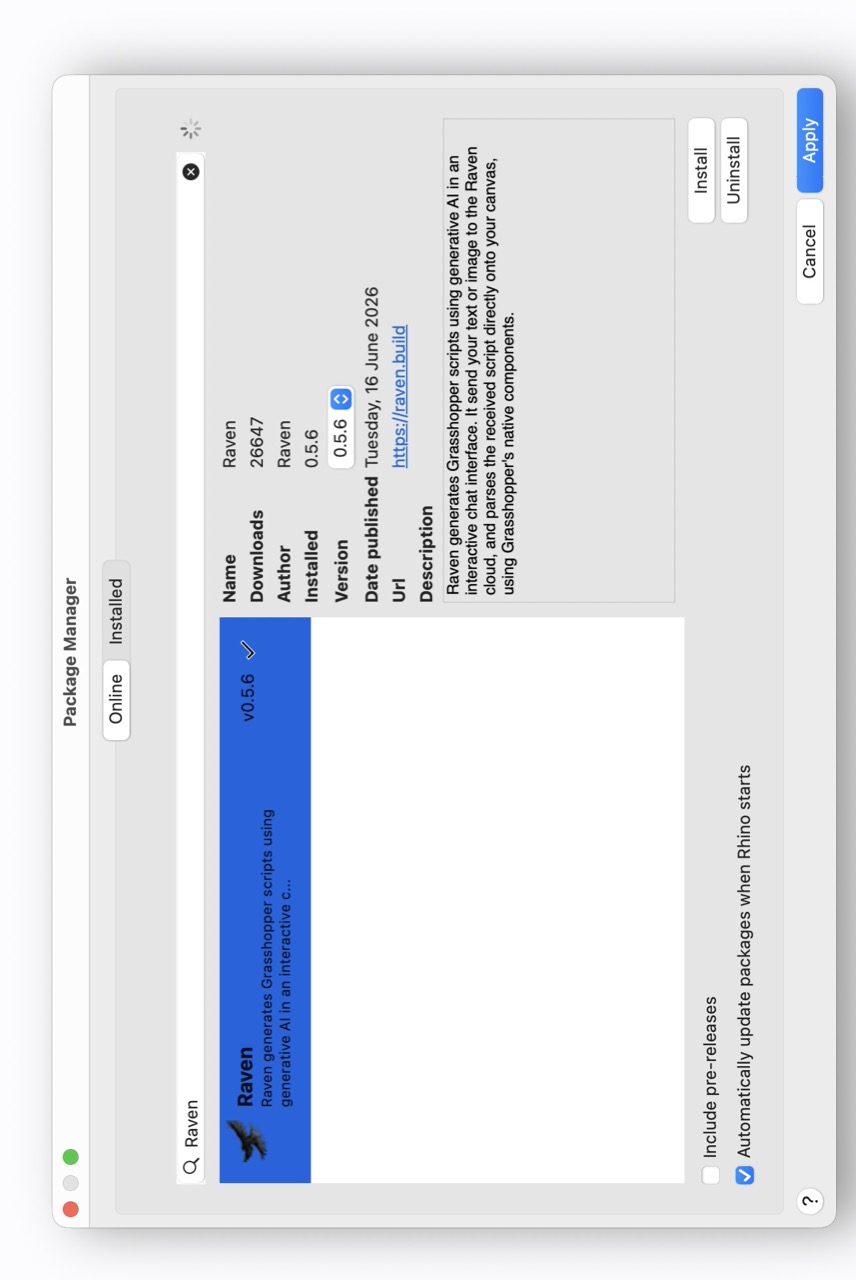
The Package Manager opens with Raven ready to install. Install
Select Raven, click Install and then Apply.Restart Rhino
Restart Rhino to finish. The Raven button will appear in Grasshopper.
Troubleshooting
The button didn’t open Rhino — how do I install manually?
The button didn’t open Rhino — how do I install manually?
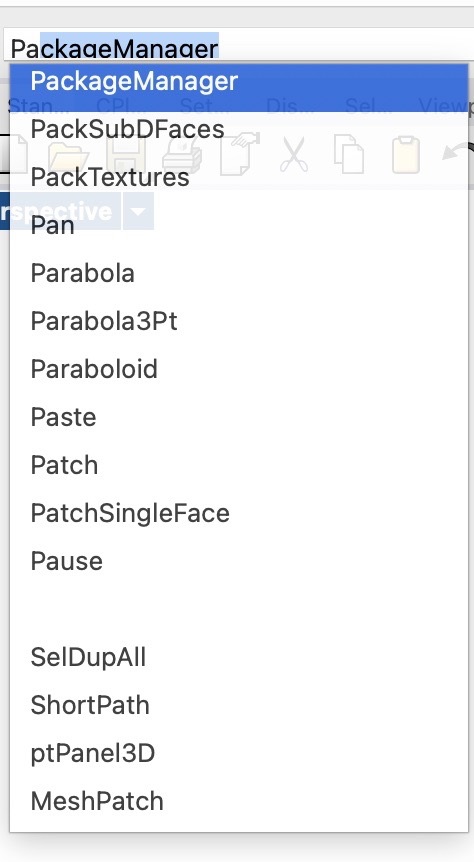
In Rhino, run the PackageManager command, search for Raven, click Install, then Apply.
I don’t see the Raven button
I don’t see the Raven button
Make sure you’ve restarted Rhino after installing. The Raven button appears in Grasshopper once Rhino has restarted.